Priority
Priority of a task defines its importance and urgency in the AuditBLOOM system. Setting priorities helps to effectively allocate resources and focus attention on the most critical tasks.
Types of Priority
AuditBLOOM offers three priority levels:
- Low
- Medium
- High
Low
- Description: Tasks that are not urgent and can be completed at a convenient time.
- Use Case: Suitable for routine or long-term tasks that do not directly affect audit results.
Medium
- Description: Tasks with moderate urgency that need attention within a specified period.
- Use Case: Used for tasks that have a set deadline but are not critical.
High
- Description: Tasks with high urgency and importance that require immediate attention.
- Use Case: Assigned to critical tasks that directly impact business outcomes and require quick action.
Impact of Priority on Tasks
- Work Organization: Priority helps users focus on the most important tasks first.
- Resource Allocation: Administrators can effectively allocate resources based on task priority.
Where Priority Is Displayed
-
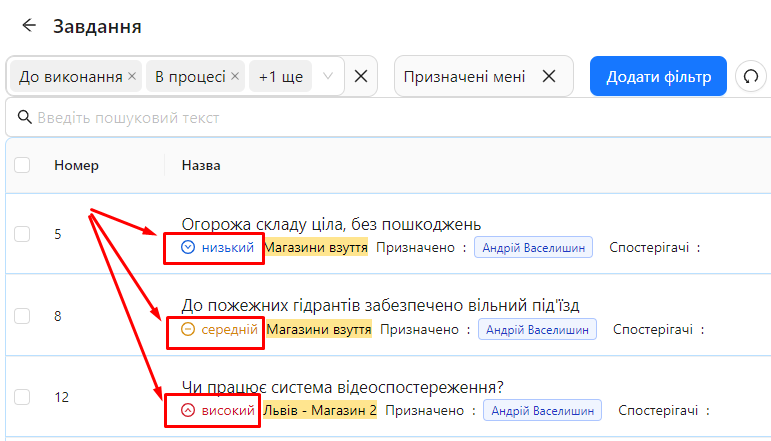
Task List: Priority is shown in the "Title" column below the task name.
-
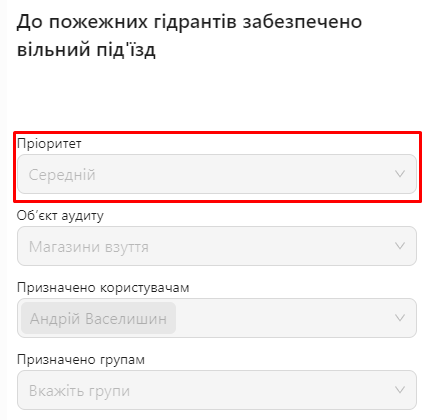
Task Details: In the task itself, priority is displayed on the right side of the page, allowing users to quickly assess the task's importance.
Filtering Tasks by Priority
You can filter the task list by priority to conveniently view tasks based on their urgency:
-
Go to the Task List.
-
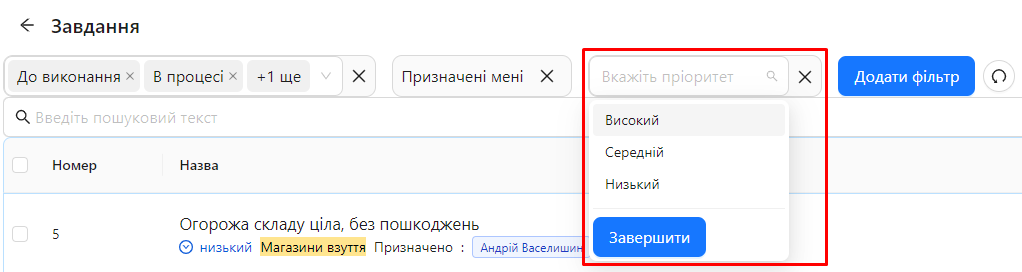
Use the filter at the top of the list to select the desired priority levels (Low, Medium, High).
-
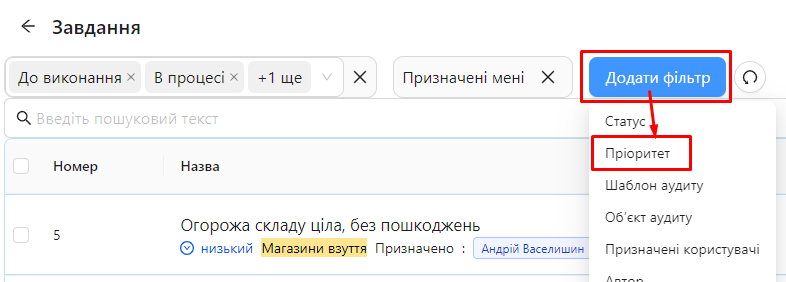
Add a filter
-
Select the filter value
-
-
View the filtered task list that matches the selected priorities.
Notes and Tips
-
Proper Priority Setting: Always set the priority according to the importance and urgency of the task to ensure effective work organization.
-
Regular Review: Periodically review task priorities to adapt them to changes in the audit process.
-
Communication: Discuss task priorities with your team to ensure all participants understand their significance and responsibilities.
Frequently Asked Questions (FAQ)
Question: Can I change the priority of a task after it's created?
Answer: Yes, you can change the priority of a task at any time by opening it for editing and selecting a new priority level.
Question: Does priority affect the task deadline?
Answer: Priority and deadline are separate parameters. Priority determines the task's importance, while the deadline determines when it needs to be completed.
Question: Can I filter tasks by multiple priorities at the same time?
Answer: Yes, the system allows you to select multiple priority levels for filtering, allowing you to view tasks with different priorities simultaneously.