Audit Schedule Overview
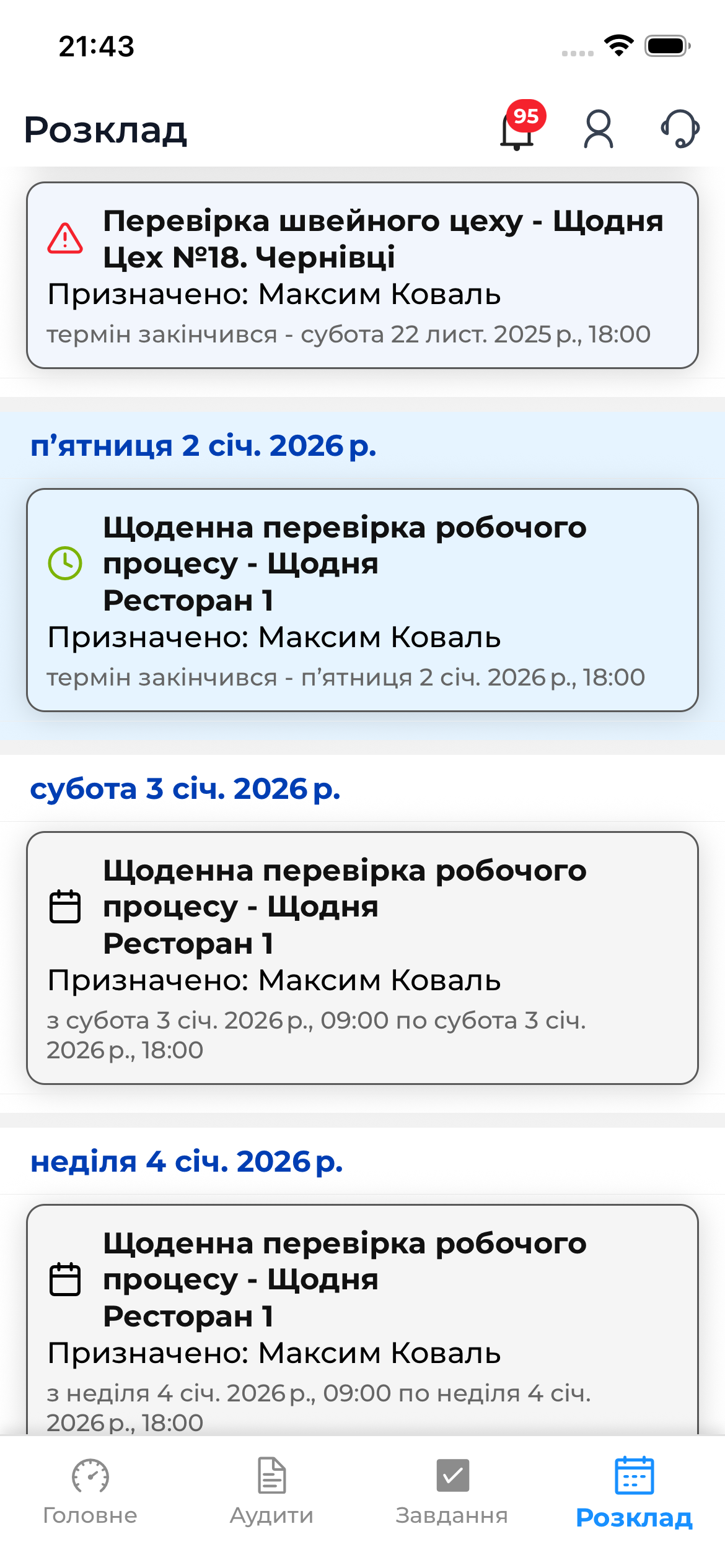
The Schedule section in the AuditBLOOM mobile app is designed to display all scheduled audits over time.
This section provides a complete overview of the auditor’s workload and makes it easy to see which audits are overdue, which are scheduled for today, and which are planned for the near future.
⚠️ This section works only in online mode.
What Is Displayed in the Schedule
The schedule list simultaneously shows:
- Overdue audits — audits whose scheduled execution date has already passed
- Audits for today — audits scheduled for the current day
- Audits for the next 7 days — audits planned for the near future
All audits are displayed in a single list, but have visual distinctions (colors, markers) that allow you to quickly understand their time-related status.
Difference from the Schedule in the Home Tab
There are two places in the app where users can see the audit schedule:
🔹 Home Tab → “To Do” Section
- Shows a limited set of audits
- Focused on operational work
- Used for quickly starting an audit
🔹 Schedule Section
- Shows the full list of audits
- Includes future audits
- Allows you to plan work ahead
- Serves as a convenient workload overview tool
Thus, the Schedule section is an analytical and overview tool, not just a working list.
Actions Available from the Schedule
From the Schedule section, you can:
- View details of a scheduled audit
- Proceed to audit preparation
- Start an audit (with an active internet connection)
- Assess audit execution priorities
📝 Audit preparation and execution from the schedule are described in detail in the
“Audit Execution” section.
Important to Know
- The Schedule section does not work without an internet connection
- To conduct an audit offline, you must prepare the audit in advance
- Visual indicators help quickly determine priorities