Notification Settings
In the Notification Settings section, the user can manage which events and through which channels notifications are delivered in the AuditBLOOM mobile application.
General Settings
The user can:
- completely disable all notifications
- re-enable notifications at any time
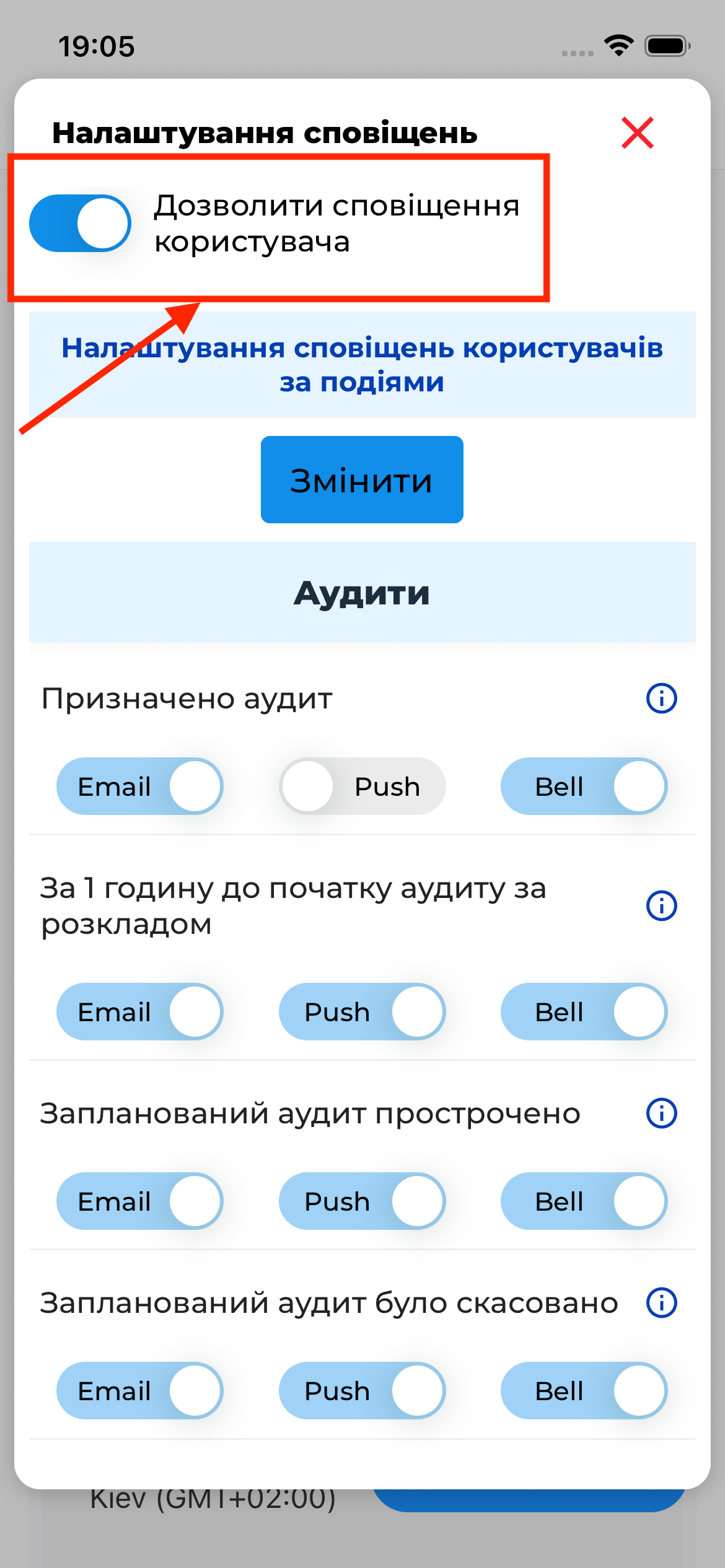
If general notifications are disabled, no notifications will be delivered, regardless of the settings below.
Event-Based Notification Settings
For each event, the user can individually define which channels should be used to receive notifications.
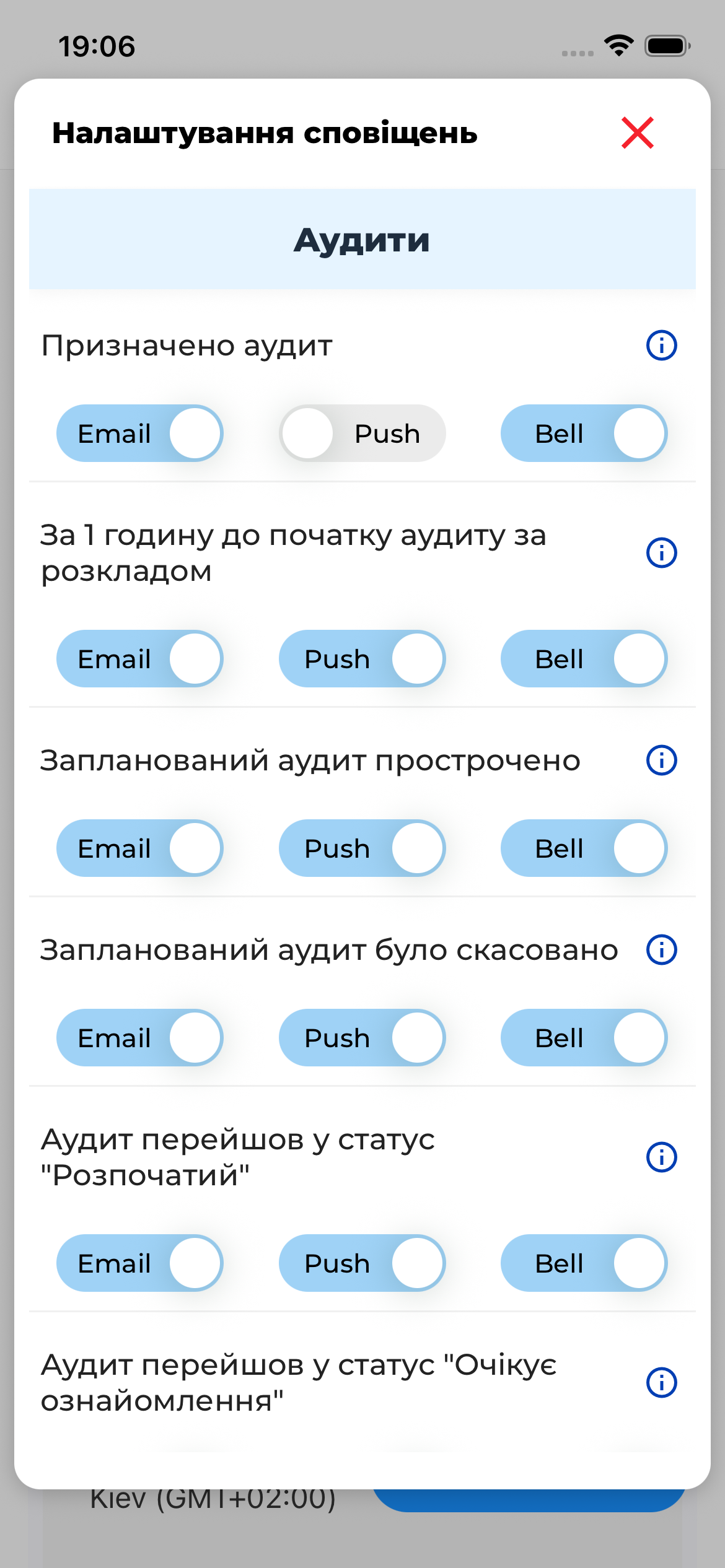
For each event, the following options are available:
- Email notifications
- Push notifications
- In-app notifications (bell)
Each notification can be:
- enabled for all channels
- enabled for one or several channels
- completely disabled
Example Events
Notification settings can be configured, for example, for the following events:
- audit assignment
- reminder before an audit starts
- audit overdue
- audit cancellation
- other events related to audits and tasks
Important to Know
Important
- Notification settings are configured online
- Changes are saved immediately
- Notification channels operate independently of each other