Tasks in Progress
The In Progress section contains all unfinished tasks that you have access to in the AuditBLOOM mobile application.
These can be tasks assigned directly to you or tasks related to audits or other processes in the system.
What Is Considered an “In Progress” Task
This list includes tasks that:
- are not yet completed
- have an active status
- require action from the user
Tasks are automatically removed from this section once they are completed.
Task List Structure
In the task list, you can see:
- task title
- short description (if provided)
- status
- priority
- related object or audit (if available)
- deadline

Viewing a Task
To open a task:
- Go to the Tasks section.
- Open the In Progress tab.
- Tap the required task in the list.
After opening the task, you will see detailed information and available actions.
Working with a Task
Task Structure
Each task contains two tabs:
- Chat
- Details
Chat Tab
The Chat tab displays:
- all actions performed during task execution, from creation to completion
- the communication history between participants involved in the task
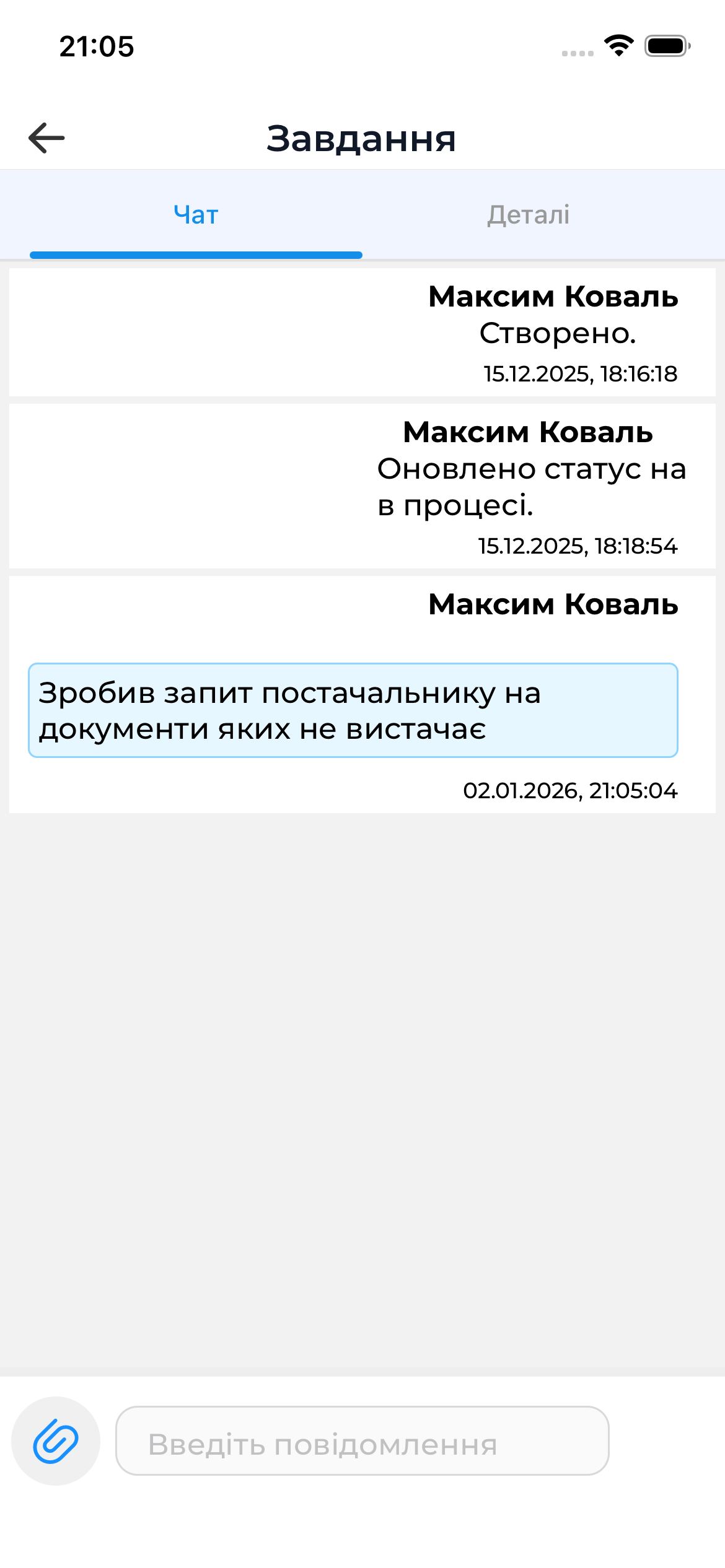
Chat capabilities:
- viewing the execution history
- viewing the communication history
- adding your own message
- attaching an image
Details Tab
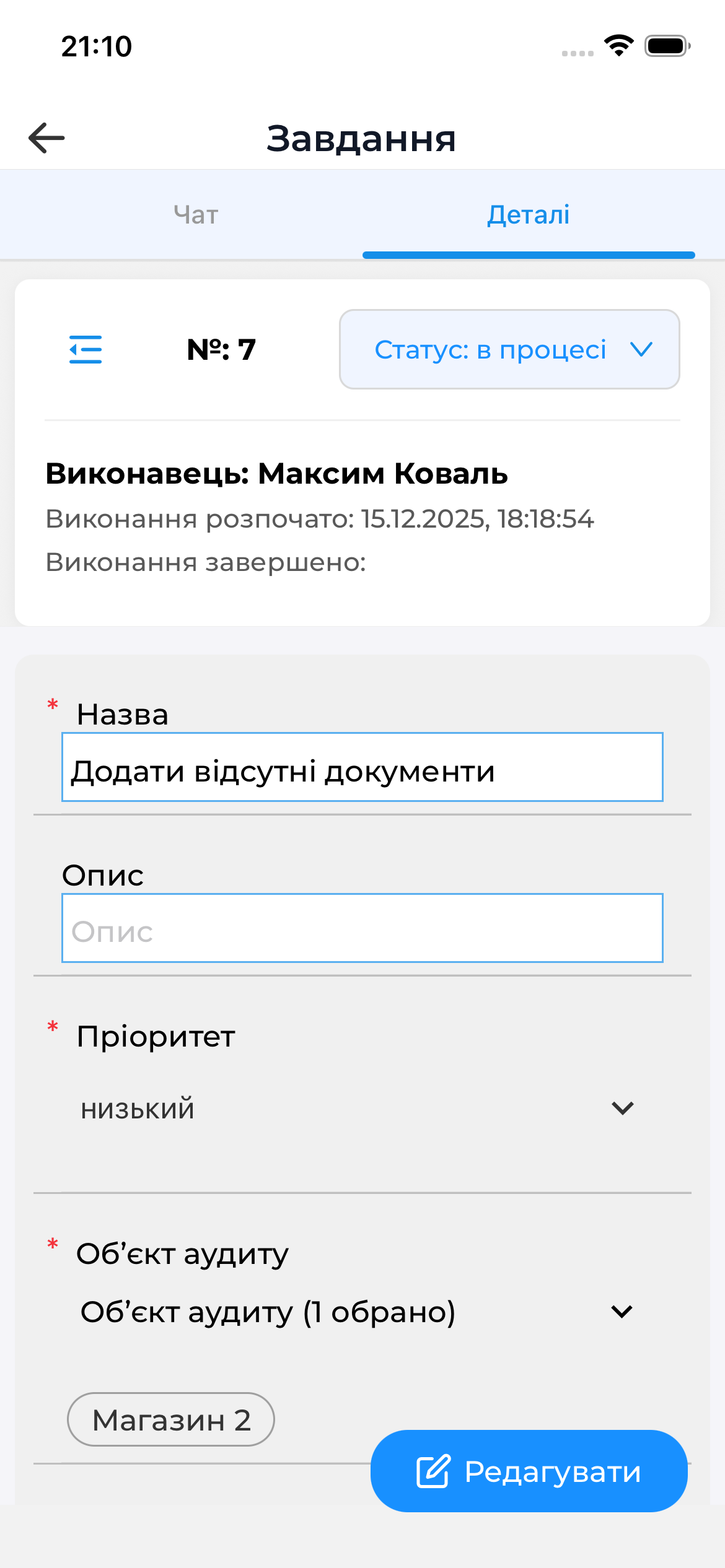
The Details tab displays:
- Task ID
- Status
- Assignee
- Start date
- Completion date
- Title
- Description
- Priority
- Audit object
- Assigned to
- Watchers
- Deadline
- Author
- Creation date
Changing the Task Status
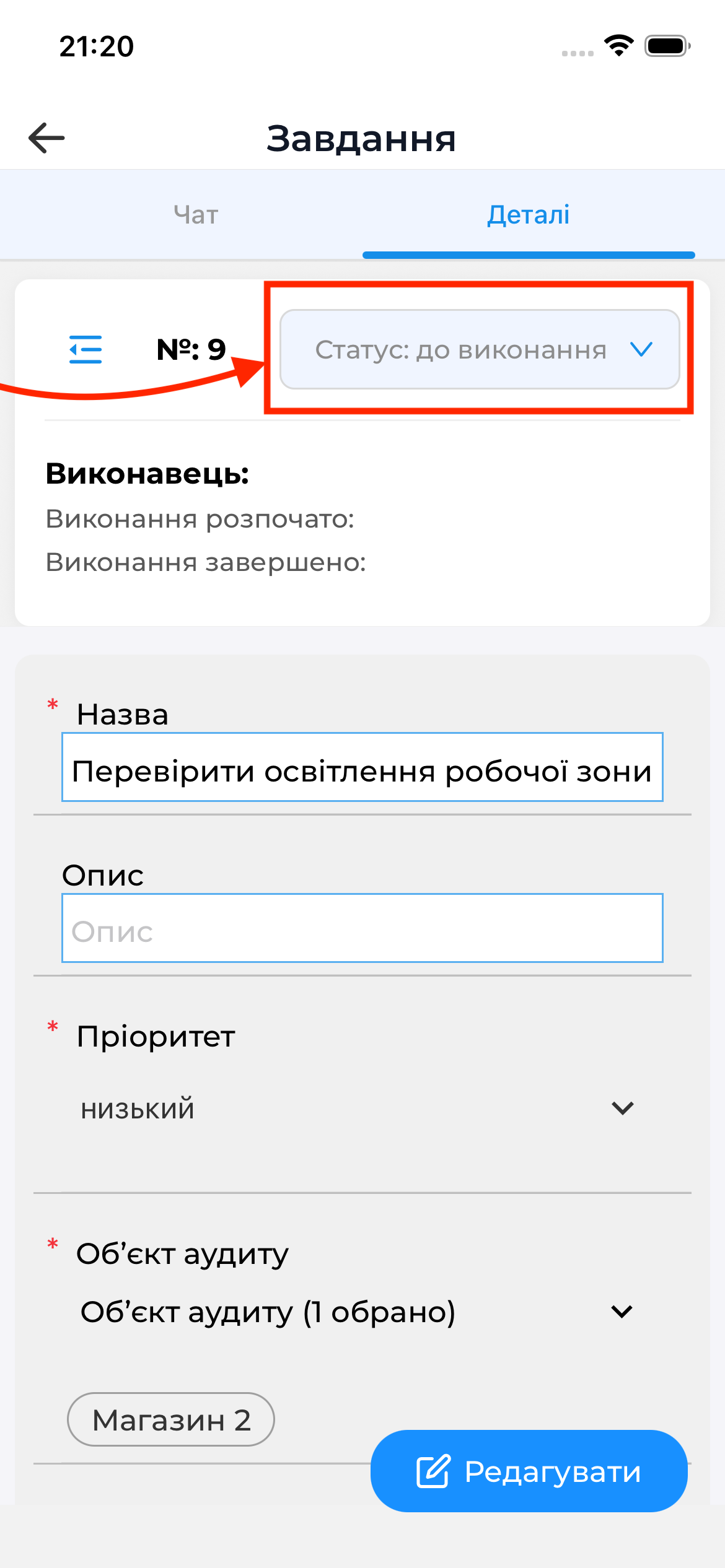
On the Details tab, you can change the task status.
To do this, tap the “Status:” field.
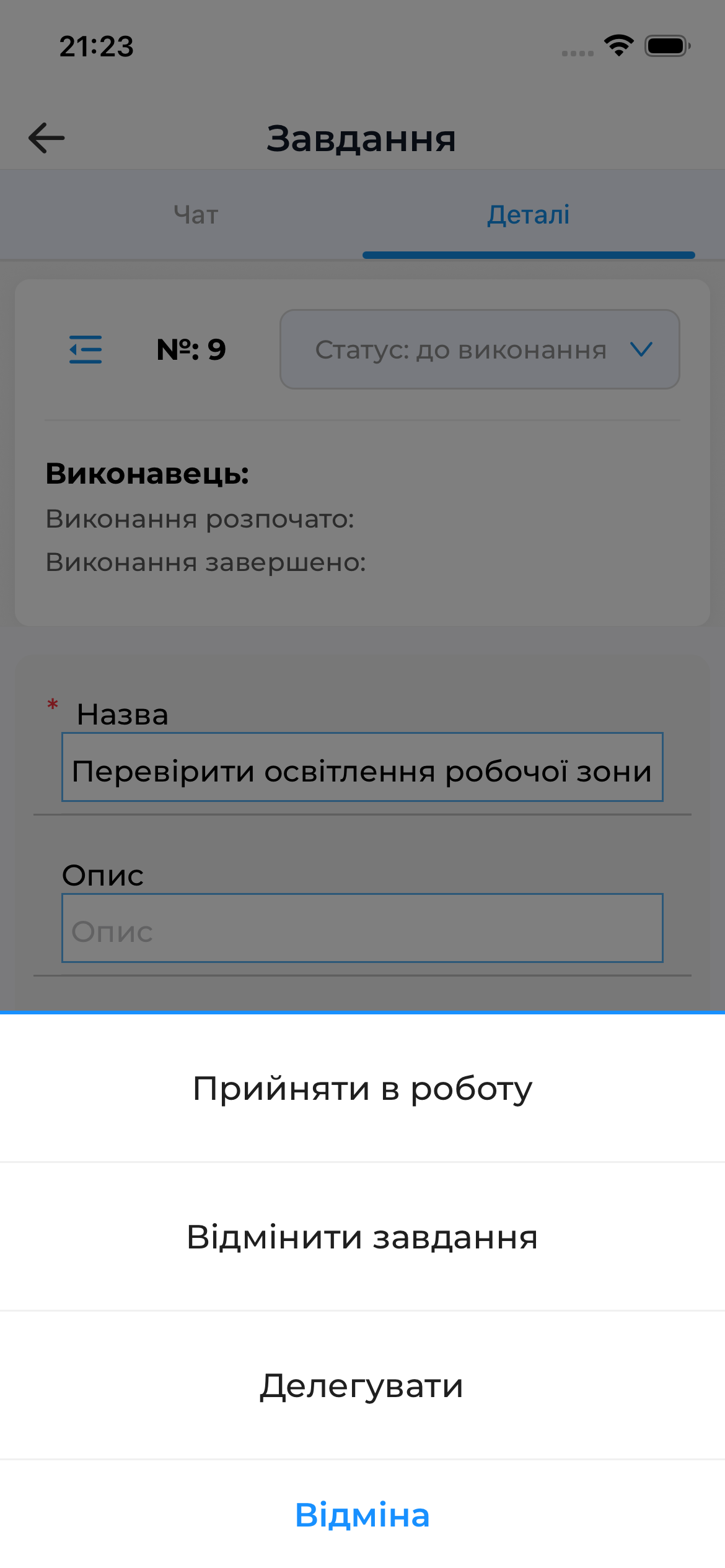
Depending on your access rights, you will be able to select one of the available status options:
Editing a Task
If you are the author of the task, you can edit it.
To do this, tap the Edit button.
Online Requirements
Working with tasks requires an active internet connection.
Without internet access, the task list is not loaded and interaction with tasks is unavailable.
Good to Know
- Tasks are a supporting mechanism and are closely related to audits and other processes.
- Completed tasks are automatically moved to the corresponding section.
- Detailed information about working with tasks is available in the web documentation.