Access to the Support Service
The AuditBLOOM mobile app provides convenient access to the support service, where users can view their requests and communicate with the support team.
Access to the support service is available from the top bar of the app.
Opening the Support Service
To access the support service:
- Open the app
- In the top bar, tap the support button
- Open the list of support requests
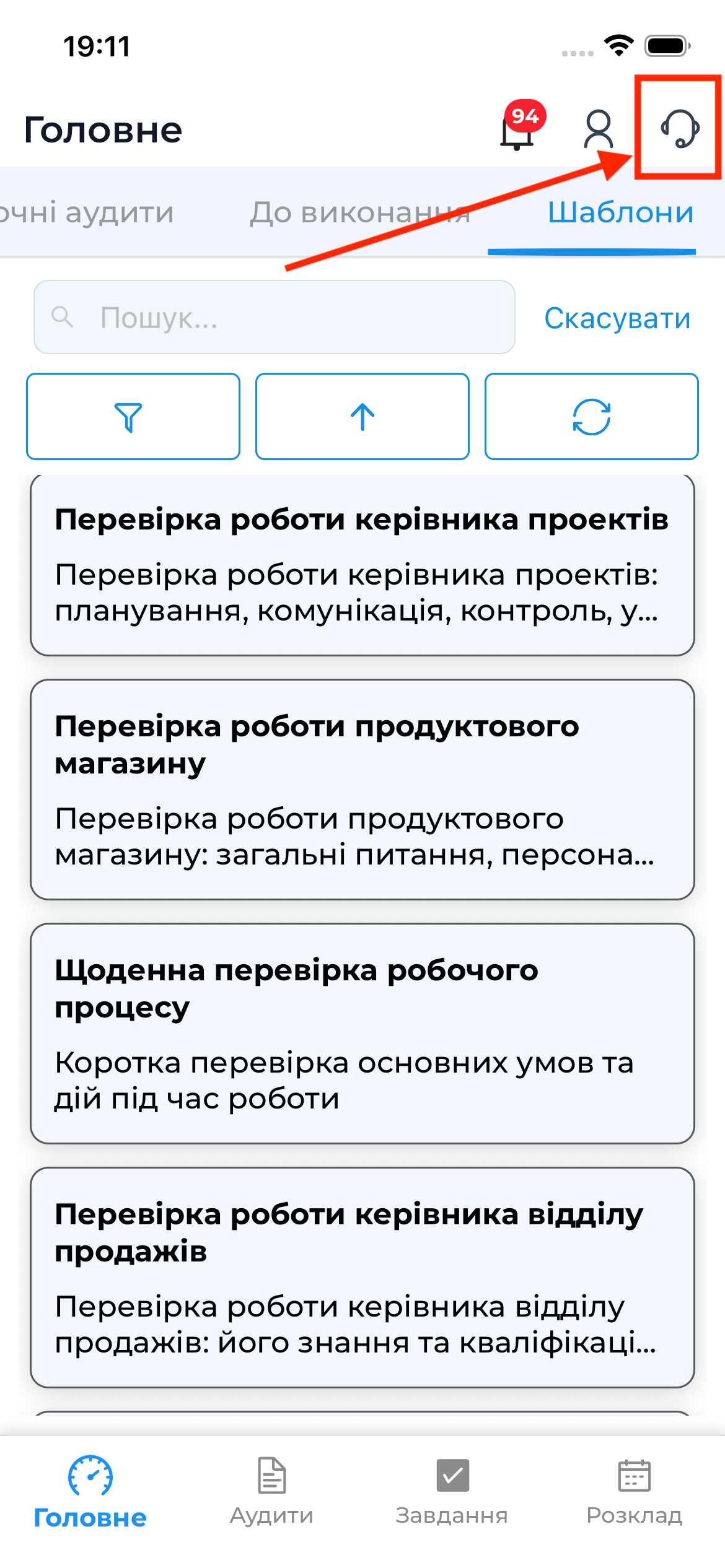
Access to the support service works only in online mode.
Support Requests List
The requests list displays:
- all requests created by you
- request ID
- request subject
- date of the last message
- current status of each request
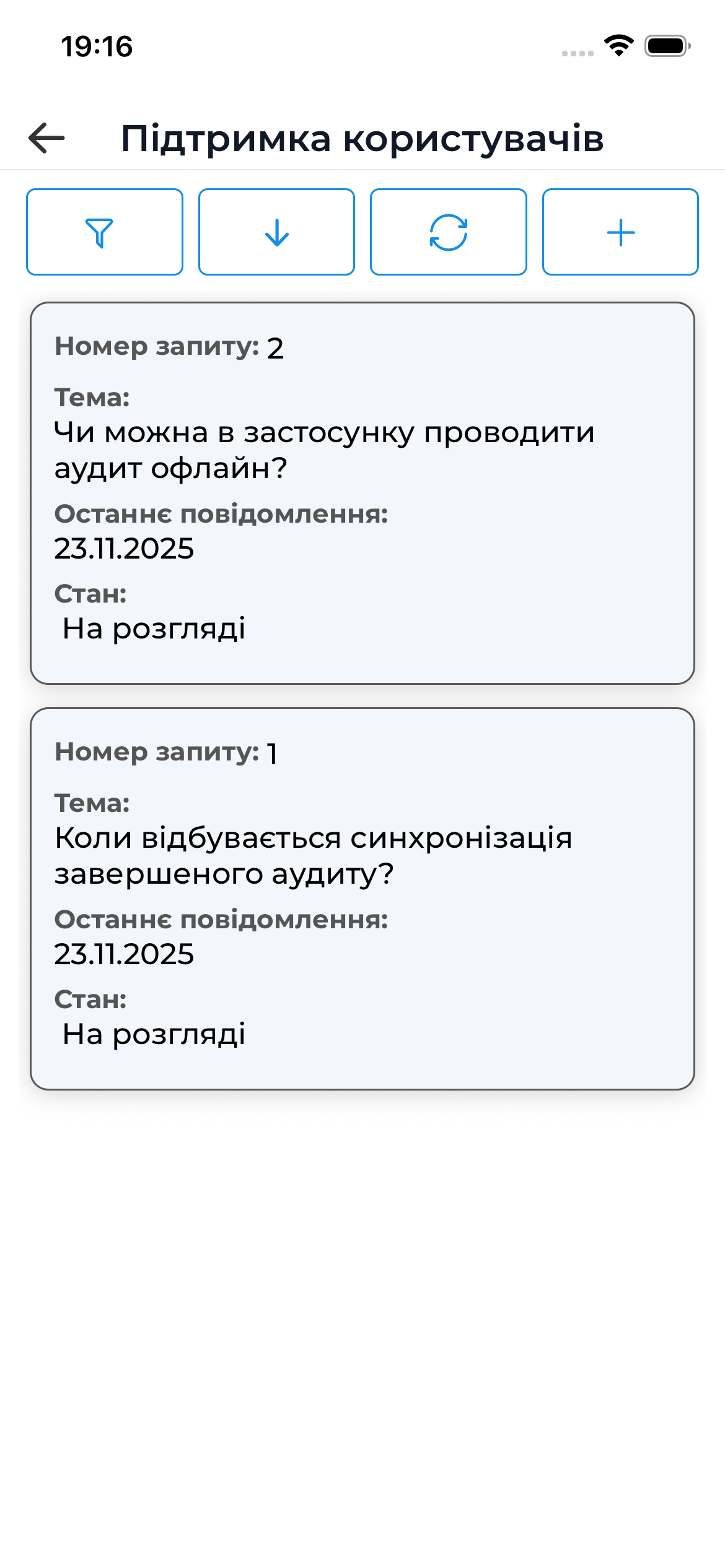
By tapping a request in the list, you can open it to view details and communicate within that request.
Important to Know
Important
- All support requests are stored in the history
- Request statuses are updated in real time
- Working with support requests requires an active internet connection