To Do Tab
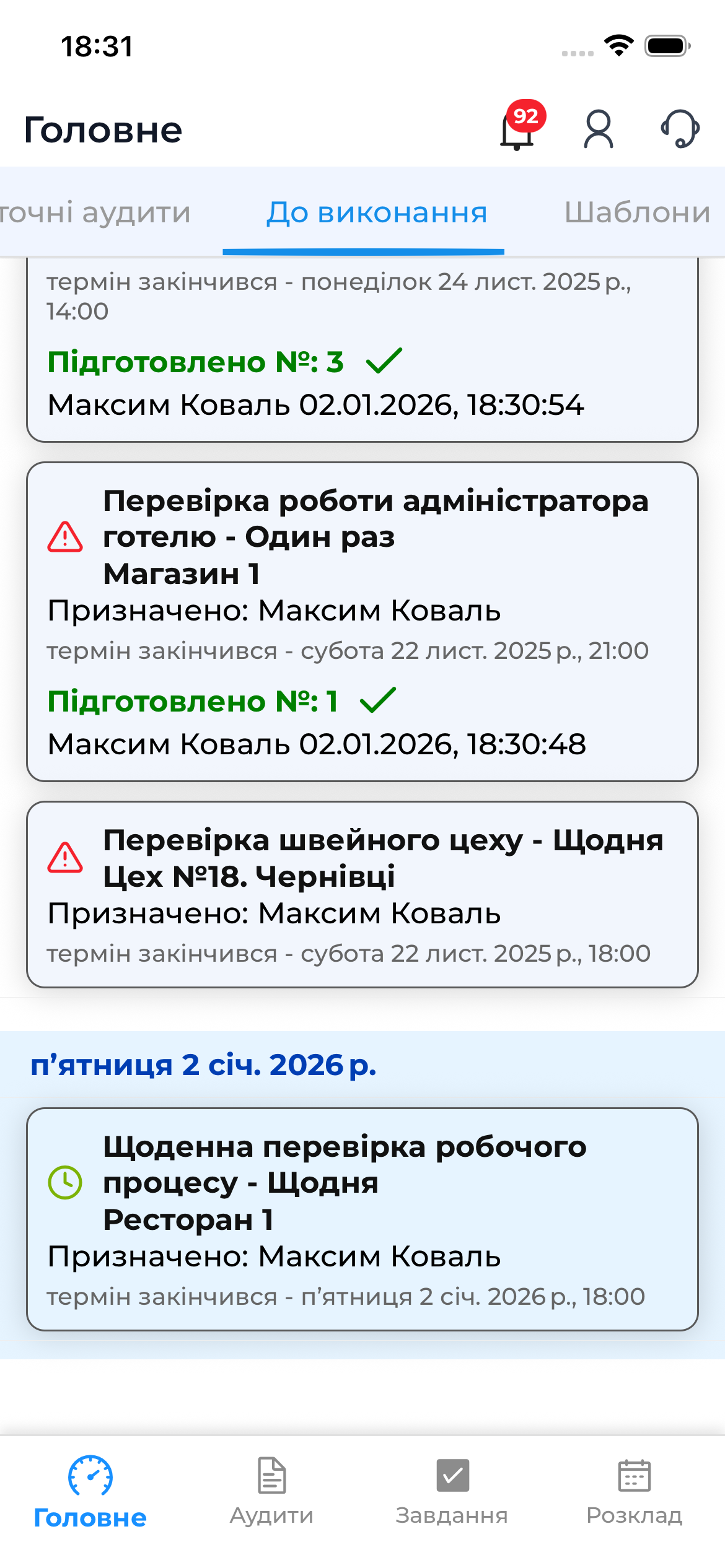
The “To Do” tab in the “Home” section is designed for working with audits that are scheduled. This is where the user sees which audits need to be performed and can prepare or start an audit directly from the list.
What Is Displayed in the “To Do” Tab
This tab shows the audit schedule, which includes:
- Overdue audits
- Audits scheduled for today
All audits are displayed in a single list, but are visually distinguished by status (colors and indicators).
This list provides a brief overview of the schedule, while the full schedule is available in the separate “Schedule” section.
Preparing an Audit from the Schedule
Before conducting an audit, it is recommended to perform audit preparation.
Preparation allows you to:
- download the checklist;
- save the audit structure on the device;
- conduct the audit offline, without an internet connection.
How to Prepare an Audit
- Open the audit in the “To Do” list.
- Tap the “Prepare Audit” button.
- Wait for the preparation to complete.
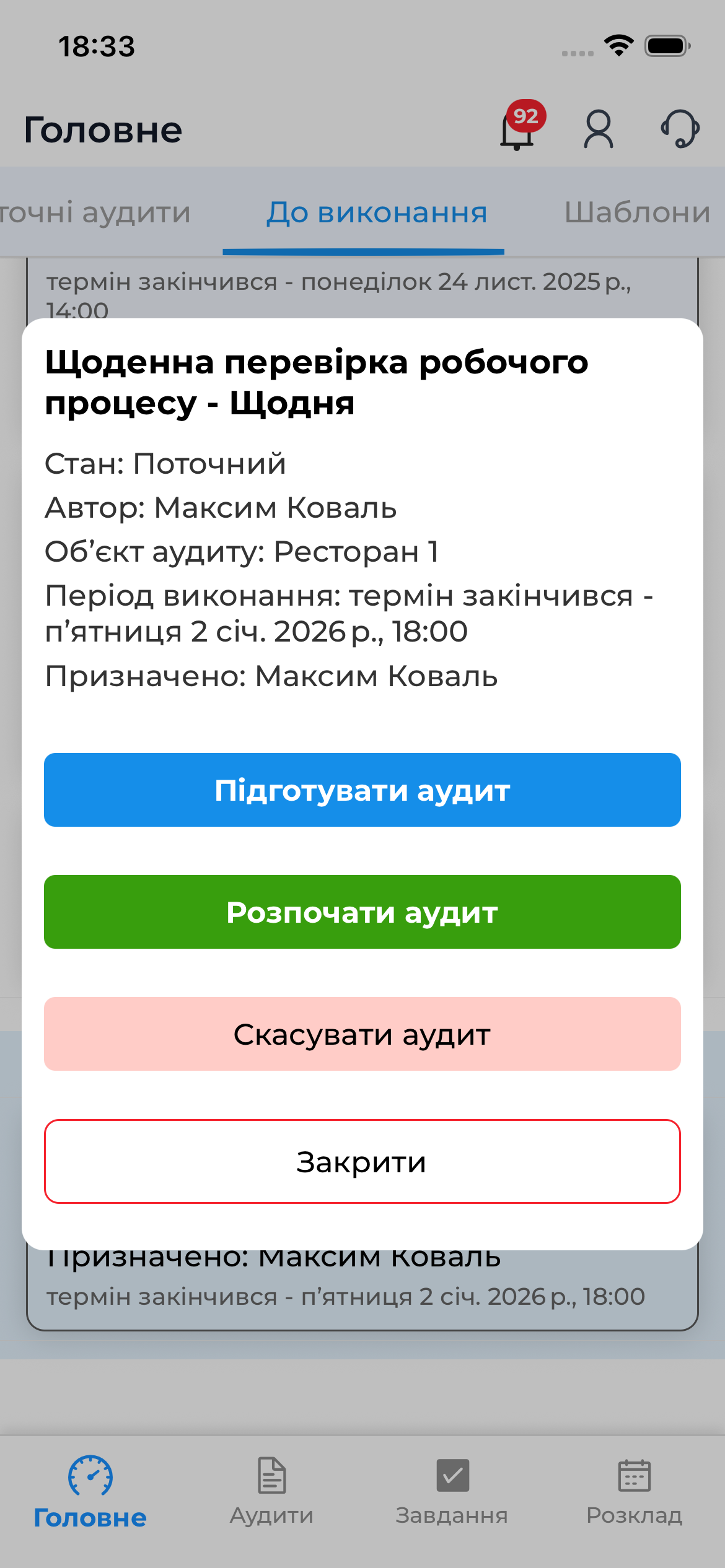
After preparation, the audit will appear in the Current Audits list and will be ready to be conducted.
Conducting an Audit from the Schedule
An audit can be started:
- after prior preparation, or
- directly online.
How to Start an Audit
- Select an audit in the “To Do” tab.
- Tap “Start Audit”.
- Proceed to working with the checklist.
If the audit was prepared in advance, it can be conducted offline.
Important to Know
- The “To Do” tab shows only scheduled audits.
- The actual execution of an audit takes place in the Current Audits section.
- For offline work, the audit must be prepared in advance.
- After completion, the audit will be automatically synchronized once an internet connection is available.