Templates Tab
The “Templates” tab in the “Home” section is designed for quickly creating and conducting audits based on templates, without being tied to a schedule.
This option is suitable when an audit needs to be performed outside the planned schedule or initiated quickly on site.
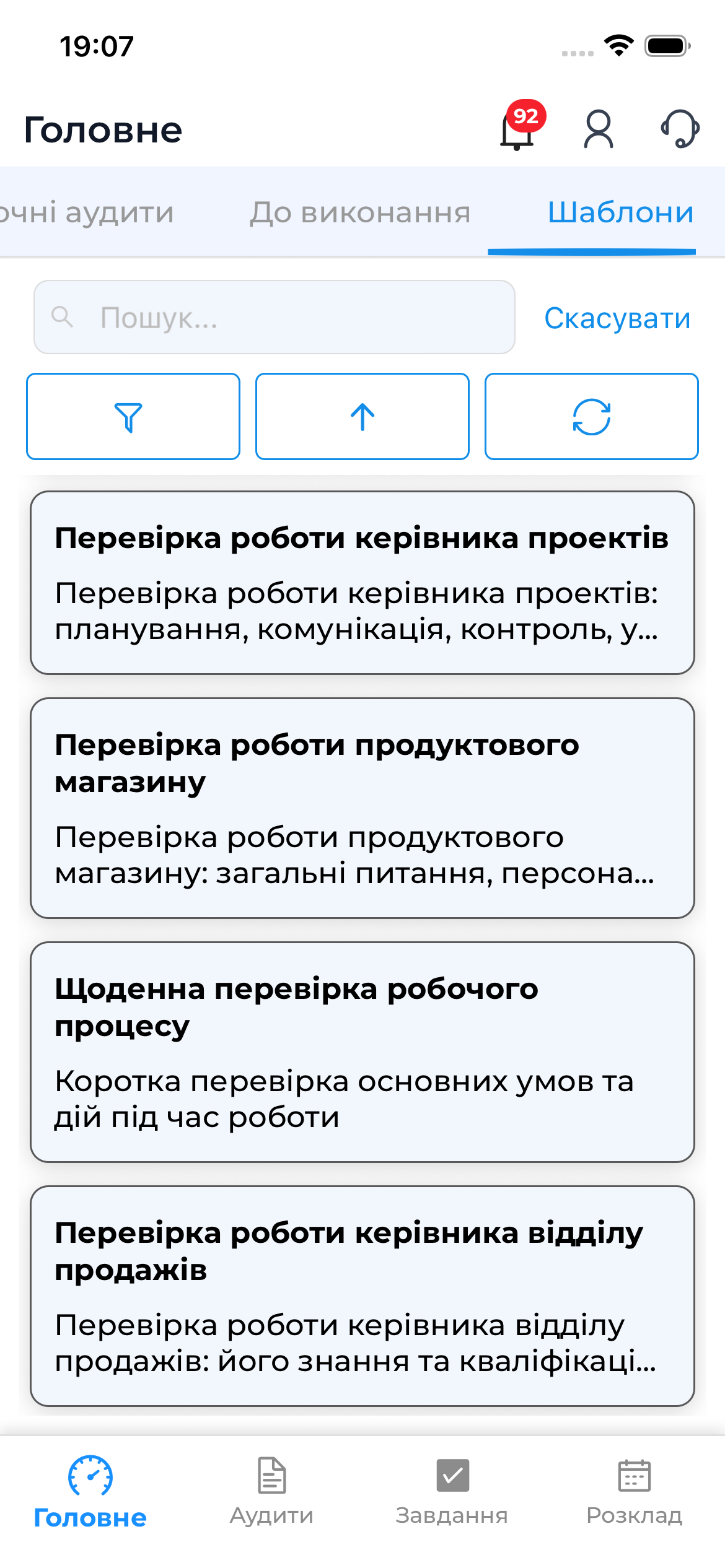
What Is Displayed in the “Templates” Tab
The list shows:
- audit templates available to you
- template name
- brief information (if available)
Template availability depends on your permissions and settings in the web version.
Preparing an Audit from a Template
Preparation allows you to download the audit to the device so it can be conducted offline.
- Open the “Templates” tab
- Select the required template
- Select the audit object
- Tap “Prepare Audit”
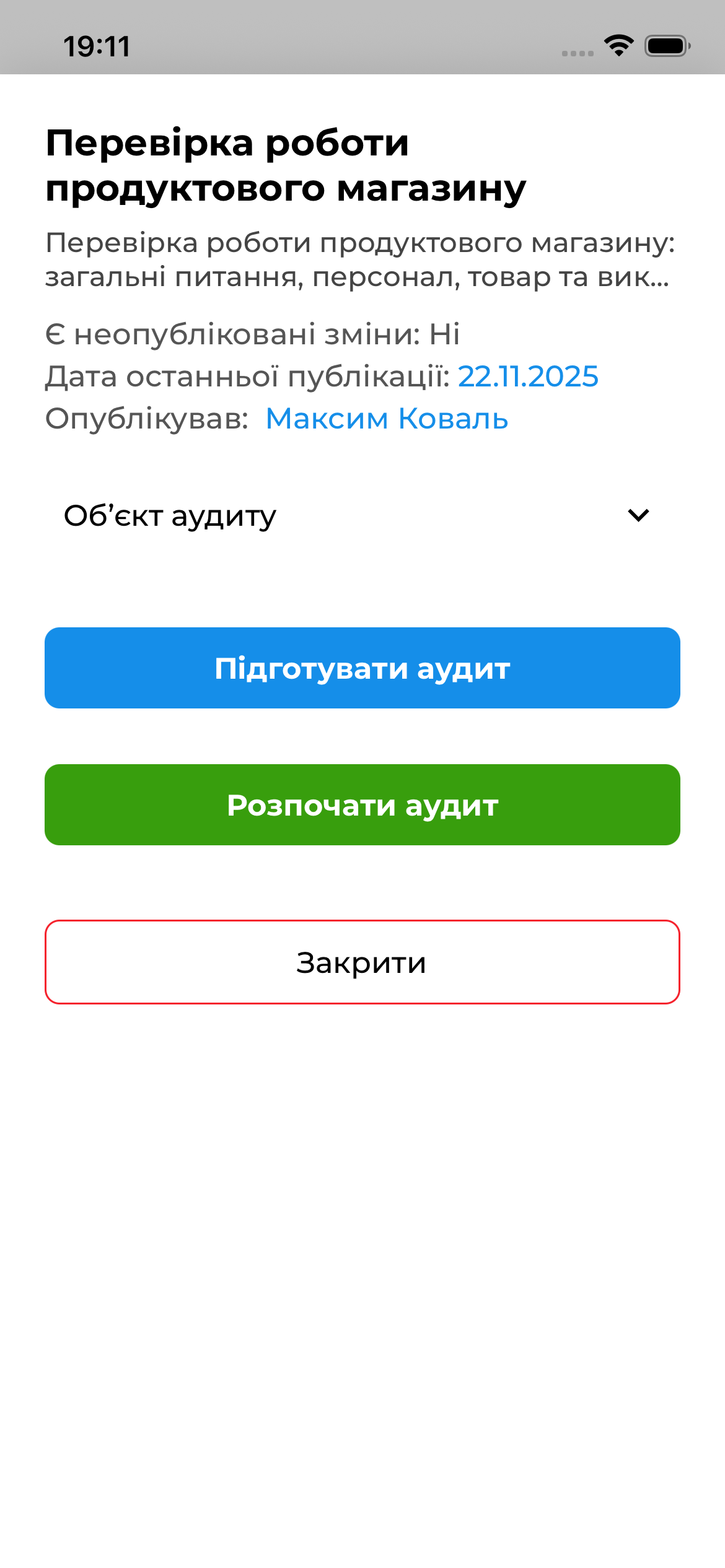
After preparation, the audit will appear in:
- “Current Audits”
- and will be available for offline execution
Conducting an Audit from a Template
If you need to conduct an audit immediately, you can start it right away:
- Select a template
- Select the audit object
- Tap “Start Audit”
- The system will create the audit and open the checklist
Workflow Details
- ✔ You can prepare an audit in advance and conduct it offline
- ✔ You can start an audit immediately
- ❌ It is not possible to conduct an audit offline without prior preparation
- ❌ Templates cannot be modified in the mobile app
When to Use the “Templates” Tab
It is recommended to use this option when:
- an audit needs to be conducted outside the schedule
- the audit is initiated without a predefined schedule
- a quick on-site inspection is required
- you need to prepare an audit in advance for offline work