Working with the Checklist During an Audit
After preparing an audit, the auditor can proceed directly to conducting it.
The main work is performed using the checklist, which contains a list of questions for verifying the audit object.
The checklist is available both online and offline (provided the audit has been prepared in advance).
General Checklist View
During the audit, the following is displayed:
- checklist structure (sections and questions)
- current completion progress
- answers for each question
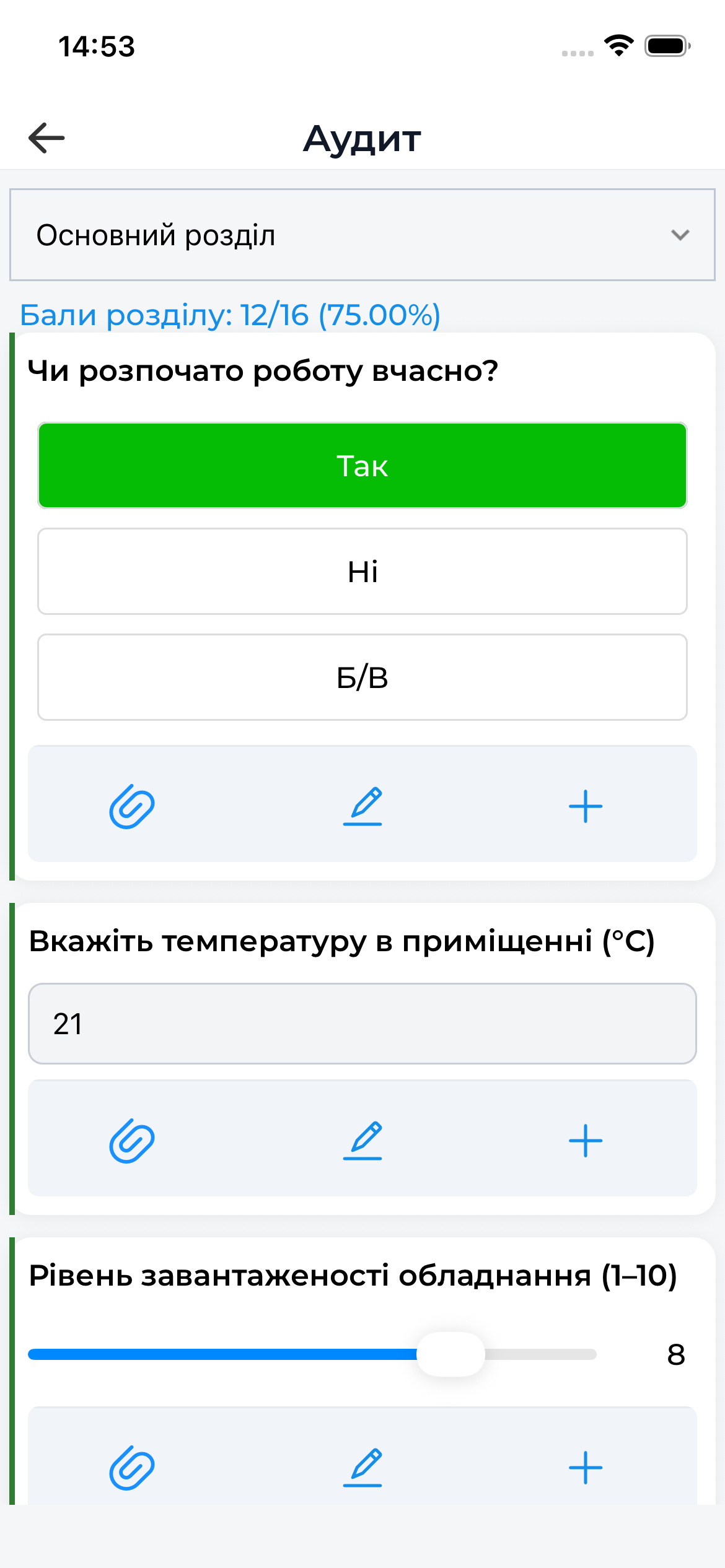
Answering Questions
For each question, the auditor:
- selects an answer according to the question type
- adds a comment if needed
- can add photo evidence (described in a separate section)
The available answer types depend on the audit template settings.
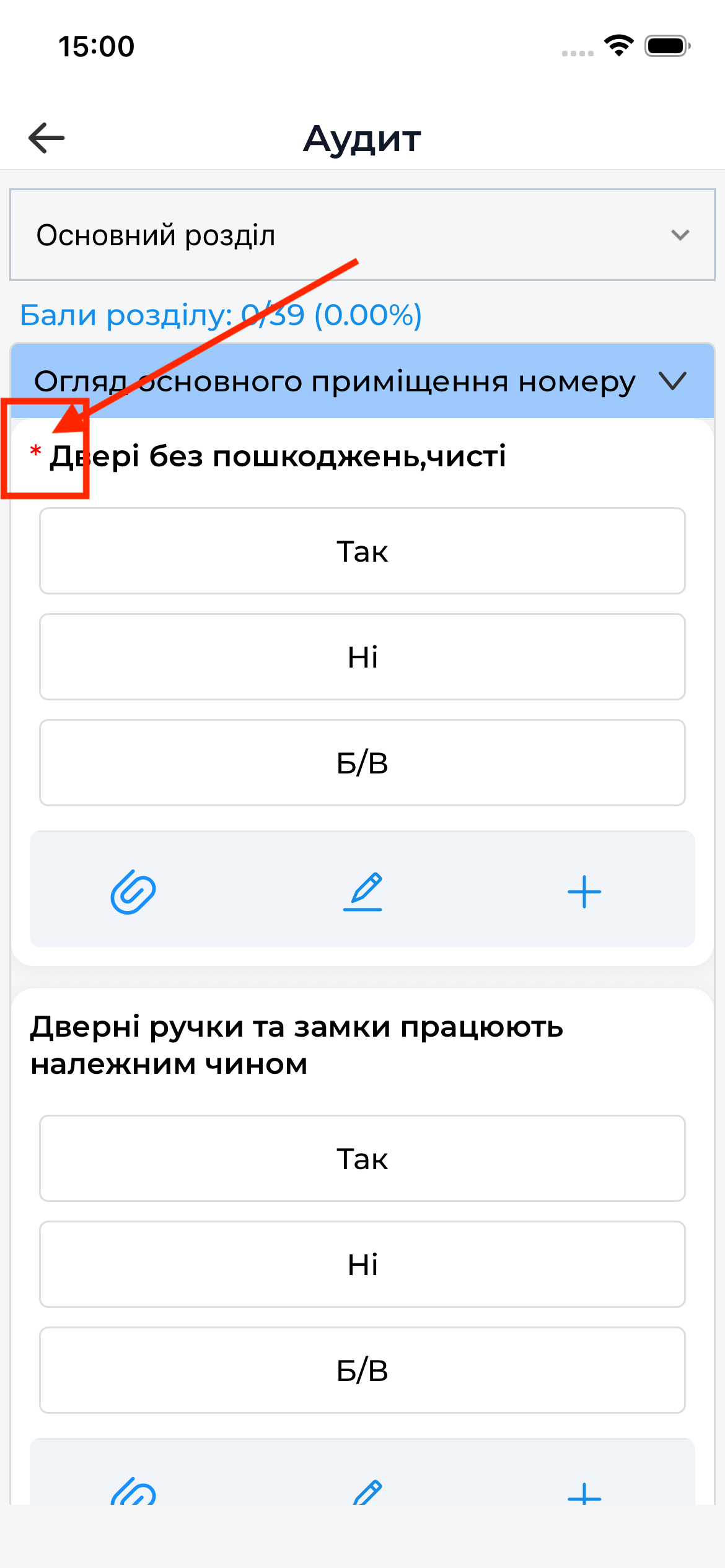
Mandatory Questions
Mandatory questions are questions without answers to which it is impossible to complete the audit.
- such questions are marked with a corresponding indicator
- the system monitors their completion
- when attempting to complete the audit without answering them, a warning will appear
An audit cannot be completed until all mandatory questions are answered.
Critical Questions
Critical questions are questions that have a special impact on the audit result.
Features of critical questions:
- if the answer is negative, the audit is automatically completed after the answer is confirmed
- further checklist completion becomes unavailable
- the result is recorded according to the template logic
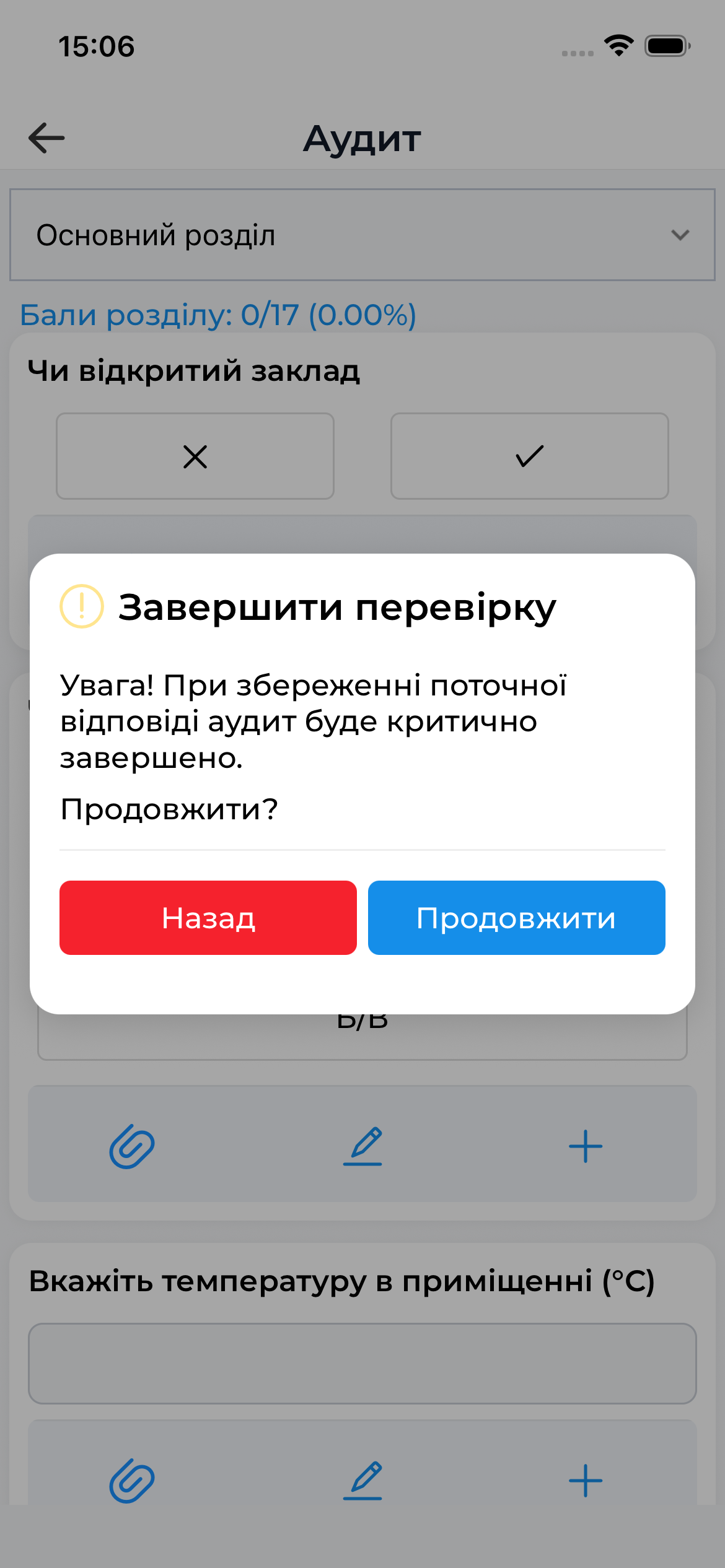
The logic of critical questions is defined in the template settings and is the same for both the mobile and web versions.
Audit Progress
While working with the checklist:
- the system displays the current progress
- the auditor can navigate between questions
- all answers are saved locally
This allows the audit to be safely interrupted and resumed later.
Important to Know
- The logic for mandatory and critical questions is defined in the template