Pending Review
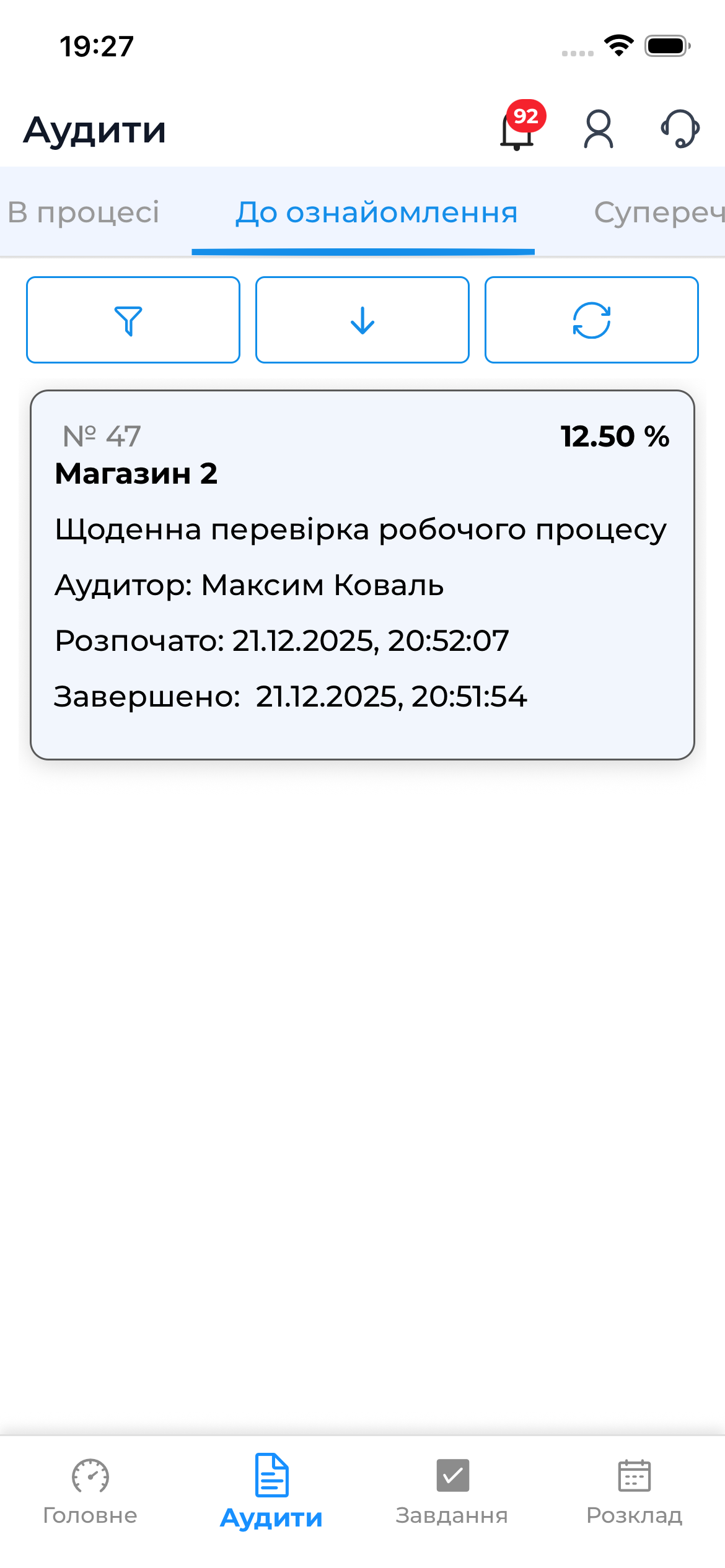
The “Pending Review” section contains completed audits that are awaiting confirmation of results by the responsible person or the opening of a dispute for specific questions.
This stage is mandatory in the audit process and works only in online mode.
When an Audit Appears in This Section
An audit appears in the “Pending Review” tab if:
- the audit template settings allow the use of disputes
- the audit has been fully completed by the auditor
- the audit results have been sent to the server
- the audit is awaiting actions from the responsible party
What You Can Do at the Review Stage
During the review stage, the following actions are available:
- view the overall audit results
- view only problematic questions
- open a dispute for specific questions
- add comments and photo evidence
- complete the review process
Audit review is not possible without an internet connection, as all actions are recorded on the server.
How to Open an Audit for Review
- Go to the “Audits” section
- Open the “Pending Review” tab
- Tap the required audit in the list
Viewing Problematic Questions
During the review, only questions with violations are displayed, allowing you to focus on critical issues.
For each problematic question, you can:
- view the auditor’s score
- read comments
- view attached photos
- open a dispute

Opening a Dispute
If you disagree with the auditor’s assessment:
- Select a problematic question
- Tap “Dispute”
- Add a comment and, if needed, photo evidence
More details about the purpose of disputes are described in the
Dispute section.
Completing the Review
After reviewing all problematic questions:
- Scroll to the bottom of the screen
- Tap the “Complete” button
After that:
- the audit moves to the next status
- changing the decision will no longer be possible
Summary
The “Pending Review” section allows you to:
- carefully review audit results
- record disagreements through disputes
- complete the audit by confirming the results
This is a key stage for ensuring audit quality control and transparency.