Audit Review
Audit Review is a stage where the responsible person reviews the results of the completed audit and decides whether to confirm them or open a dispute.
This stage works only in online mode.
Viewing Audit Results
After opening an audit with the status “Audit Review”, the following is displayed:
- general audit information
- overall result
- a list of only problematic questions
All questions without violations are not displayed in this mode to keep the focus on critical issues.
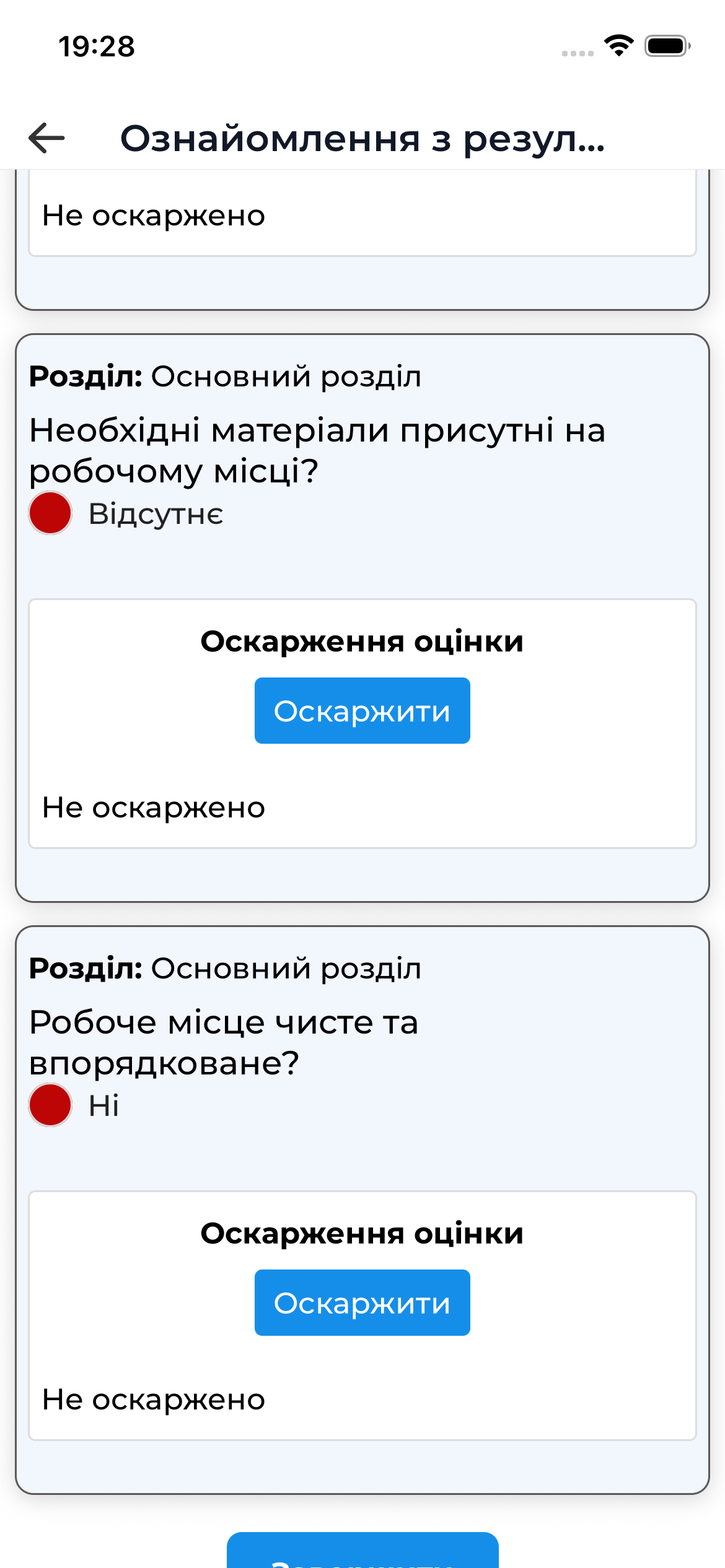
Viewing Problematic Questions
For each problematic question, the following is available:
- auditor’s score
- auditor’s comment
- attached photos
- the “Dispute” button to open a dispute
Opening a Dispute
If you disagree with the assessment of a specific question, you can open a dispute.
How to Open a Dispute
- Select a problematic question
- Tap the “Dispute” button
- Enter a comment with an explanation
- Add photo evidence if needed
- Cancel the dispute if it was opened by mistake
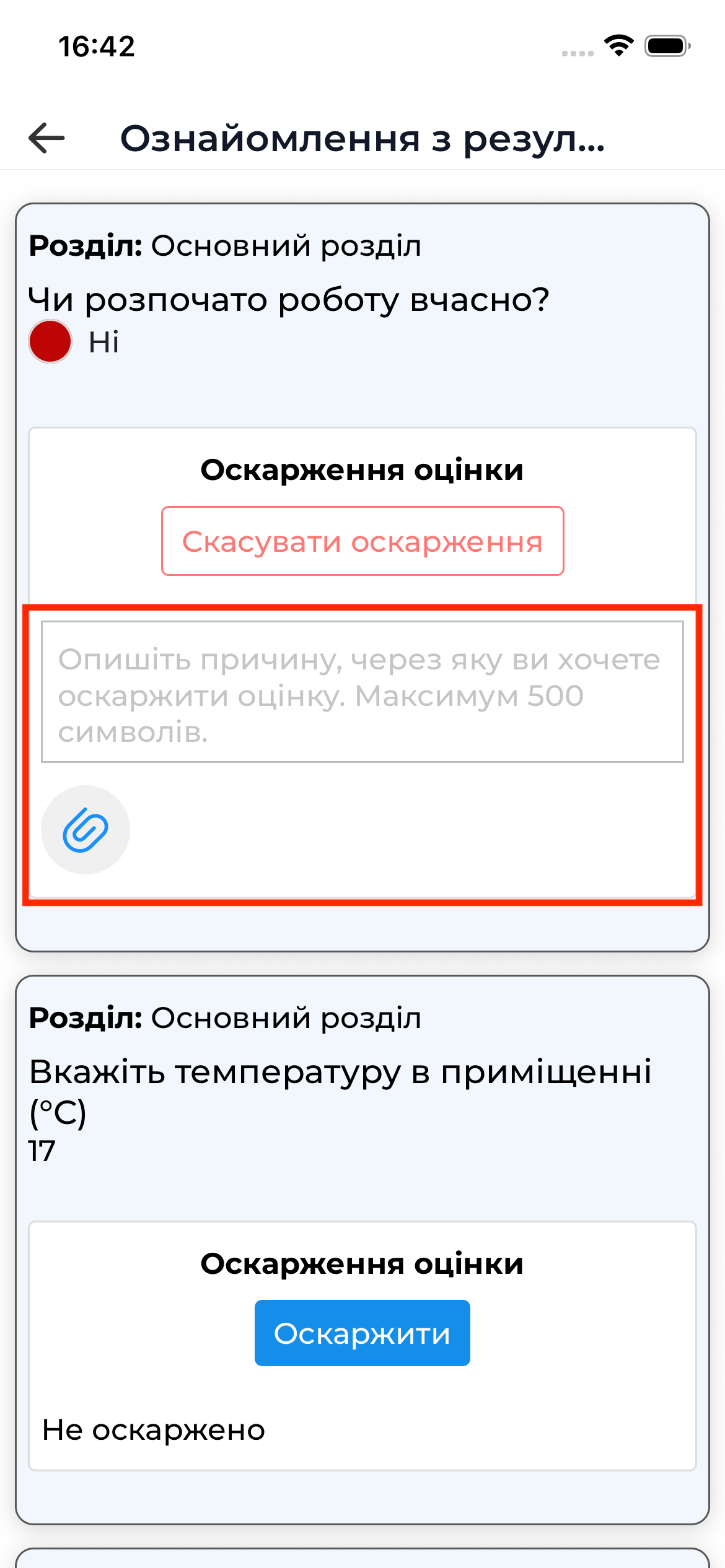
The ability to open a dispute depends on the audit template settings.
Adding Photo Evidence
When opening a dispute or reviewing a question, you can add photo evidence:
- take a photo using the device camera
- add a photo from the gallery (if allowed)
All added photos are uploaded to the server immediately after confirming the action.
Completing the Review
After reviewing all problematic questions:
- Scroll to the bottom of the screen
- Tap the “Complete” button
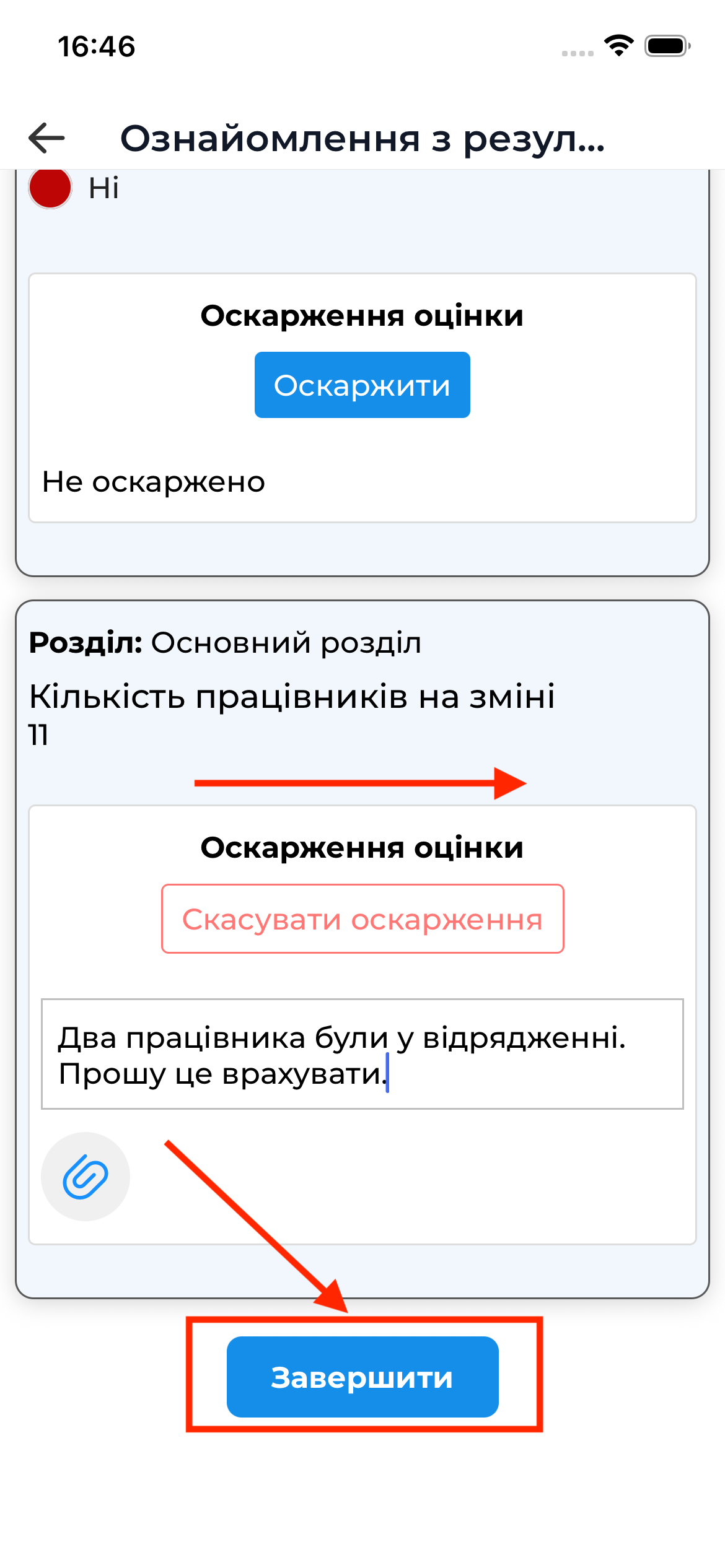
After that:
- modifying results or opening new disputes is not possible
- the audit moves to the next status:
- “Completed” if there are no disputes
- “Dispute” if at least one question was disputed
Important to Know
- audit review is available online only
- opening a dispute is possible only for problematic questions